
Download Universal Extractor – Free, Secure Archive Extraction Tool for Windows, Mac, and Portable Use
Universal Extractor is a lightweight, free software tool designed to extract files from virtually any type of archive or installer package. Whether you're dealing with obscure installer formats, proprietary archives, or outdated compressed files, Universal Extractor steps in where standard tools fail. This versatile utility supports a broad range of formats including NSIS, Inno Setup, InstallShield, Cabinet (CAB), ZIP, RAR, 7Z, ISO, DMG, and more.
It’s especially useful for users who frequently encounter installation packages that won’t open with conventional software. The app runs without installation, making it ideal for USB drives and portable workflows. With its simple interface, powerful extraction engine, and seamless shell integration, Universal Extractor is a must-have for anyone who needs reliable access to hidden or locked files inside compressed containers.
Key Features of Universal Extractor
Universal Extractor stands out in the crowded field of archive tools due to its unique approach and extensive format support. Unlike traditional decompression software that only handles common formats like ZIP or RAR, Universal Extractor focuses on extracting files from installer packages and complex archive containers that other tools often can't open. One of its standout features is the ability to extract files from NSIS (Nullsoft Scriptable Install System) installers, a format widely used by software developers. It also handles Inno Setup and InstallShield installers, which are commonly found in Windows applications.
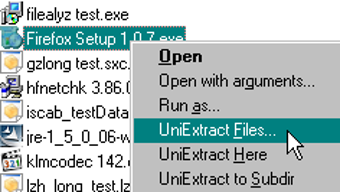
The software includes context menu integration, allowing users to right-click any installer or archive file and extract its contents directly from the file explorer. This feature saves time and streamlines workflows, especially for power users and IT professionals. Another major benefit is its portable nature—no installation required. You can run it from a USB drive, making it perfect for use on multiple computers without leaving traces behind.
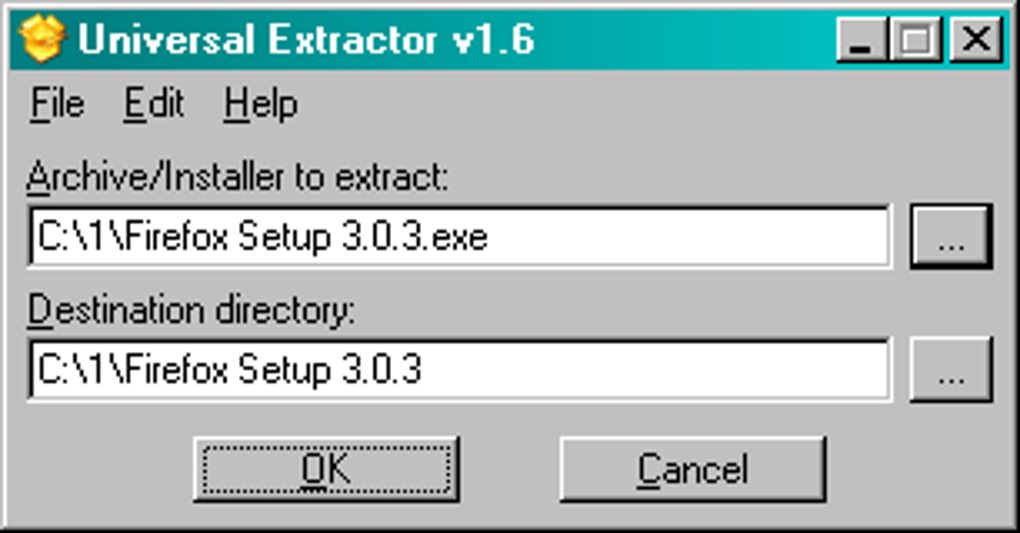
Universal Extractor also supports multilingual user interfaces, which is a rare but welcome feature for global users. The app is available in multiple languages, including English, German, French, Spanish, and Japanese, enhancing accessibility. Additionally, it provides detailed logging during extraction, helping users troubleshoot issues if a file fails to extract properly. With regular updates and a growing list of supported formats, Universal Extractor continues to evolve into a reliable, go-to tool for file recovery and archive exploration.
How to Install and Use Universal Extractor
Installing and using Universal Extractor is straightforward and requires no technical expertise. The software is completely portable, meaning you don’t need to install it. Simply download the latest version from the official website, extract the ZIP file, and run the executable (unx.exe) directly. There’s no need to register, sign up, or grant permissions—just launch the app and start extracting.
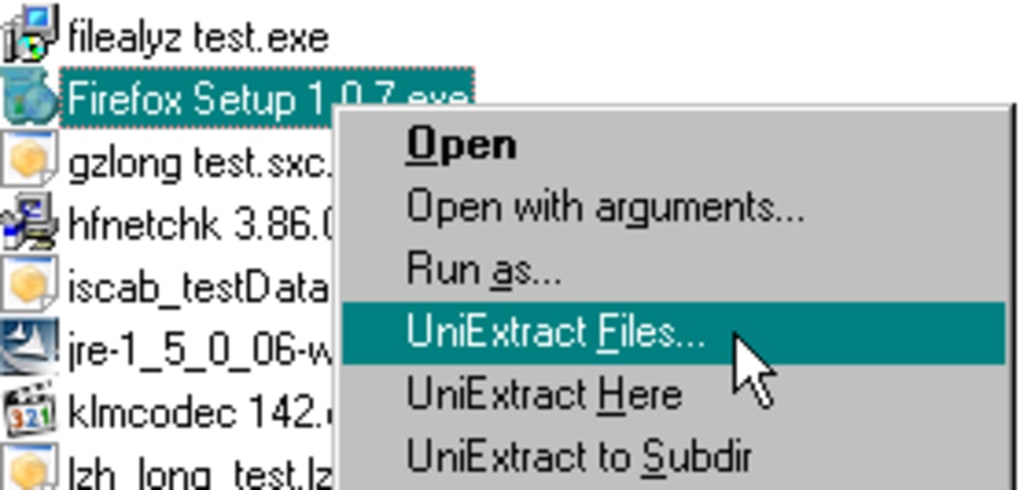
To extract a file, open Universal Extractor and either drag and drop the archive or installer file into the main window, or click the “Add” button to browse and select the file manually. Next, choose the destination folder where you want the extracted files to be saved. You can also enable options like “Overwrite existing files” or “Create subdirectory” for better organization. Once everything is set, click “OK” and the extraction process begins.
During extraction, a progress bar shows the status, and a log window displays detailed information about the process. If an error occurs, the log helps identify the root cause. For advanced users, the tool supports command-line execution, allowing automation through scripts. This makes it ideal for batch processing or integration into larger workflows. After extraction, you can access all the original files—whether they’re configuration files, DLLs, or embedded resources—without needing the original installer.
Compatibility and System Requirements
Universal Extractor is compatible with a wide range of operating systems, making it a truly cross-platform solution. It runs smoothly on Windows 7, 8, 10, and 11, both 32-bit and 64-bit versions. The software is also compatible with Windows Server editions, making it suitable for enterprise environments. For Mac users, while there’s no native version, the tool can be run via compatibility layers like Wine or virtual machines, though performance may vary.
On mobile devices, Universal Extractor is not available for Android or iOS as it’s a desktop-focused tool. However, its portable nature means you can use it on any Windows machine, including laptops and workstations. The software is extremely lightweight—typically under 10 MB in size—so it doesn’t consume much system memory or CPU resources. It doesn’t require admin rights to run, which is ideal for restricted environments like schools or offices.
For users who prefer to keep their tools on a USB drive, Universal Extractor is perfect. Just copy the extracted folder to your flash drive, plug it into any Windows PC, and run it instantly. This makes it a powerful tool for data recovery, software forensics, or troubleshooting corrupted installers. Its minimal footprint and broad compatibility ensure that it works reliably across different hardware and software setups.
Pros and Cons of Universal Extractor
- Pros:
- Supports a vast range of archive and installer formats
- Completely portable—no installation required
- Simple, intuitive interface suitable for beginners
- Right-click context menu integration for quick access
- Free to download and use with no hidden costs
- Regular updates and active development
- Available in multiple languages
- Lightweight and fast, with minimal system impact
- Cons:
- Not available natively for Mac, iOS, or Android
- Interface is basic and lacks advanced customization
- Some rare or encrypted formats may not extract properly
- No built-in compression or archiving features
- Limited documentation and community support
Frequently Asked Questions (FAQ)
Is Universal Extractor free to download and use?
Yes, Universal Extractor is completely free to download, use, and distribute. There are no trial periods, subscriptions, or hidden fees. The software is open for personal and professional use without restrictions.
Can I use Universal Extractor on Windows 11?
Absolutely. Universal Extractor is fully compatible with Windows 11, as well as Windows 10, 8, and 7. It runs without issues on both 32-bit and 64-bit systems.
Does Universal Extractor support DMG files?
Yes, Universal Extractor can extract files from DMG (Apple Disk Image) files, making it a valuable tool for Windows users who need to access Mac-formatted archives.
Can I run Universal Extractor from a USB drive?
Yes, one of the biggest advantages of Universal Extractor is its portability. You can copy the extracted folder to a USB drive and run it from any Windows PC without installing anything.
Why won’t Universal Extractor extract my file?
If extraction fails, the file may be encrypted, corrupted, or use a format not yet supported. Check the extraction log for details. You can also try updating to the latest version of Universal Extractor, as new formats are added regularly.
Conclusion: Why You Should Download Universal Extractor Today
Universal Extractor is a powerful, lightweight, and free tool that fills a critical gap in the world of archive management. While it’s not designed to replace standard ZIP or RAR utilities, it excels at handling complex installer packages and obscure archive types that other software can’t open. Its portability, ease of use, and broad format support make it ideal for IT professionals, developers, and everyday users who frequently encounter tricky compressed files.
Whether you're recovering lost configuration files, analyzing installer behavior, or simply trying to access files from an old software package, Universal Extractor delivers reliable results. With no installation required and support for formats like NSIS, Inno Setup, and DMG, it’s a versatile addition to any digital toolkit.
Download Universal Extractor now and take control of your archives. It’s free, secure, and ready to use in seconds. Perfect for Windows users, portable workflows, and anyone who needs a no-fuss extraction solution.







